
If you’re evaluating cemetery management software, accounting is likely one of your biggest concerns. Many cemeteries rely on a mix of systems—paper records, spreadsheets, or external tools like QuickBooks—to manage financials.
That approach can work…until it doesn’t.
As operations grow more complex, disconnected systems create inefficiencies, duplicate data entry, and reporting challenges. That’s why more cemeteries are searching for cemetery software programs with accounting features that bring everything into one place.
In this guide, we’ll explore what to look for in cemetery accounting software and how the right solution can simplify your financial management without adding complexity.

Why Accounting Matters in Cemetery Software
Cemetery financial management is unique. Unlike many industries, cemeteries must track:
- Plot and space sales
- Burial and service fees
- Long-term maintenance funds
- Ownership history and records
- Donations or special funds
When accounting lives outside your cemetery system, these connections are lost. Staff must manually reconcile data across systems, increasing the risk of errors and inefficiencies.
Integrated accounting tools change that. They connect financial data directly to your cemetery records, allowing you to manage operations and finances in one place.
Key Cemetery Software Accounting Features to Look For
When evaluating your options, focus on features that support both daily workflows and long-term financial visibility.
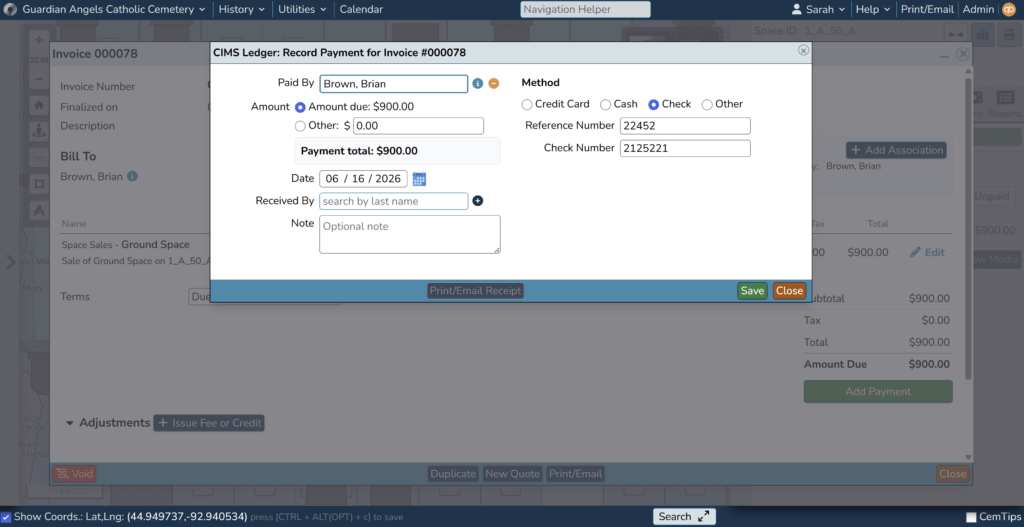
Built-In Invoicing and Payment Tracking
Your software should allow you to:
- Create quotes and convert them into invoices
- Associate invoices with specific customers, plots, or services
- Track payments and outstanding balances
- Generate receipts and documentation
This eliminates the need to create invoices in a separate system and manually match them to cemetery records.
Flexible Account Structure
Cemetery finances often require tracking different types of funds and accounts. Look for software that supports:
- Account categorization (assets, liabilities, revenue, expenses)
- Custom chart of accounts
- Double-entry accounting functionality
- Flexible account configuration
This ensures your system can adapt to your cemetery’s financial structure—not force you into a rigid model.
Automated Financial Workflows
The best systems reduce manual work by automating how funds are recorded.
For example, when an invoice is created or a payment is received, the software should:
- Automatically record journal entries
- Allocate funds to the correct accounts
- Maintain a clear audit trail
Some systems also allow predefined “distribution groups” or rules that control how transactions are handled behind the scenes.
Reporting and Financial Visibility
Strong reporting capabilities are essential for both day-to-day management and long-term planning.
Look for tools that allow you to:
- Run built-in financial reports
- Track revenue by service type or section
- Monitor outstanding balances
- Analyze trends over time
With the right reporting, you can make informed decisions without exporting data or building complex spreadsheets.
Integration with Cemetery Operations
This is where general accounting tools often fall short.
Cemetery-specific software should tie financial data directly to:
- Customer records
- Burial and service activity
- Inventory (available vs. sold plots)
- Historical ownership records
When accounting is tied to operations, your staff can access everything they need without jumping between systems.
Ease of Use for Non-Accountants
Not every cemetery has a dedicated accounting department.
Your software should be:
- Intuitive and easy to navigate
- Designed for cemetery staff, not just accountants
- Supported by training and documentation
A system that’s too complex won’t be used effectively, no matter how many features it offers.
Cemetery Software vs. QuickBooks: What’s the Difference?
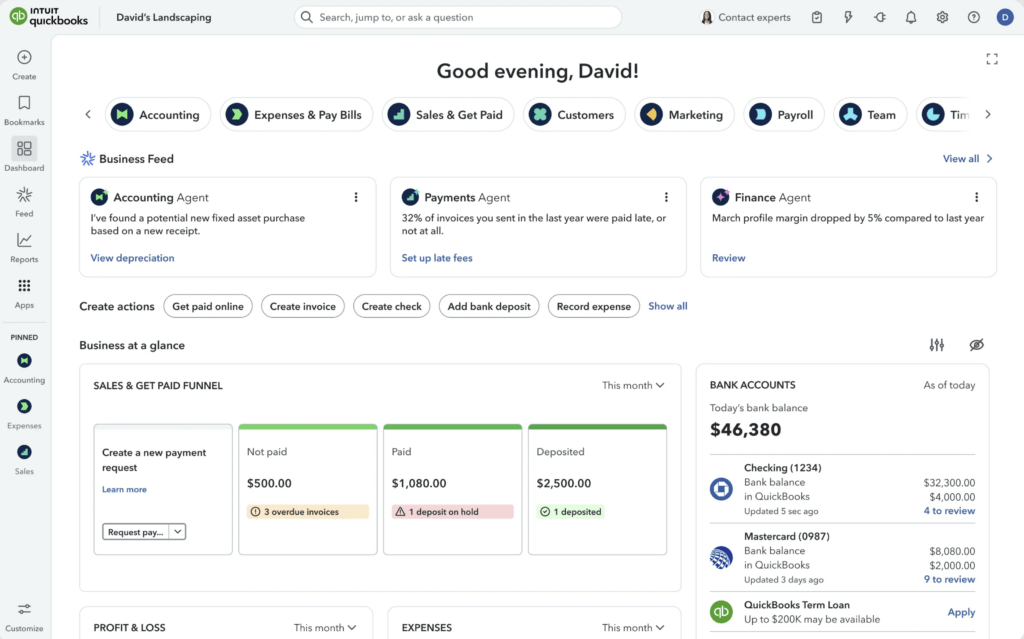
Many cemeteries start by using QuickBooks or similar accounting tools alongside their management system. While this can work initially, it often creates challenges over time:
Using separate systems:
- Requires duplicate data entry
- Makes reporting more difficult
- Disconnects financial data from cemetery records
Using integrated cemetery software:
- Keeps all data in one system
- Reduces manual work
- Improves accuracy and reporting
For cemeteries looking to streamline operations, integrated solutions are often the better long-term investment.
Introducing a Better Way to Manage Cemetery Finances
As cemeteries continue to look for more efficient ways to manage their operations, accounting has become a critical piece of the puzzle.
That’s why CIMS recently introduced a new add-on designed specifically for cemetery financial management.
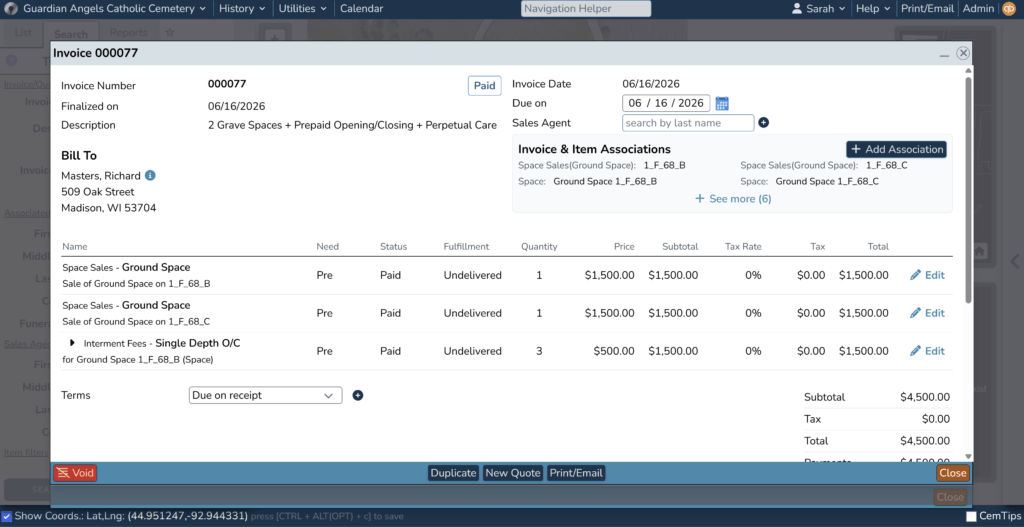
CIMS Ledger brings invoicing and accounting functionality directly into the CIMS platform, allowing cemeteries to manage financial operations without relying on separate systems.
With features like:
- Integrated invoicing and payment tracking
- Flexible account setup and categorization
- Automated financial workflows
- Built-in reporting tools
- CIMS Ledger helps connect your financial data to your everyday operations, creating a more streamlined, accurate system for managing your cemetery. Choosing the right cemetery software isn’t just about mapping or record-keeping anymore. As financial complexity grows, having the right cemetery software accounting features can make a measurable difference in your day-to-day operations and your long-term success.
By focusing on integration, automation, and usability, you can find a solution that simplifies your workflows, improves accuracy, and supports your team for years to come.
Ready to Simplify Your Cemetery’s Financial Management?
If your team is currently juggling multiple systems—or relying on manual processes to track invoices and payments—it may be time to take a closer look at a more streamlined solution.
With CIMS Ledger, you can bring your accounting tools directly into the same platform you already use to manage your cemetery, eliminating duplicate data entry, reducing errors, and giving your team clearer financial visibility.
Best of all, it’s designed specifically for cemeteries, so you don’t have to adapt your workflows to fit a generic accounting system. Schedule a free demo to see how it can work for your cemetery!